
The West African Examination Council (WAEC) result is available online for students to check their performance using a scratch card pin. It is a simple process that can be done using your mobile phone or computer.
You can check your WAEC result by using two (2) methods;
- SMS
- Online
I know you’re feeling anxious, with many questions, or confused about how to check your results. Well, this post will give you a step-by-step breakdown of how to check your WAEC result using your phone.
Let me know in the comment if you have any questions or need further clarification. I will attend to you as soon as possible.
| WAEC Result | Information |
|---|---|
| Result Status | The 2024 result is not yet out |
| Pass Rate | 79.81% |
| SMS Code | 32327 |
| Online Result Portal | www.waecdirect.org |
Table of contents
Requirements to Check WAEC Result

The following are the requirements you need to check your WAEC result;
- Examination Number
- Scratch Card Pin
- Serial Number
- Examination Year
- Internet Data or SMS Credit
How to Check WAEC Result Online
Here is how to check your WAEC result online using your phone;
Time needed: 1 minute
A description of how to check WAEC result online
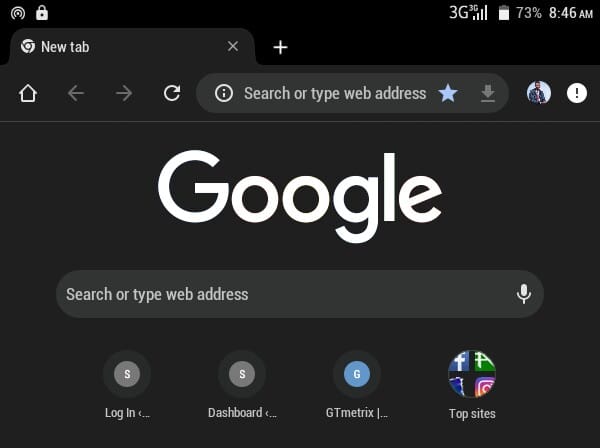
- Visit the WAEC Result Checker Page
Go to https://www.waecdirect.org/ on your internet browser

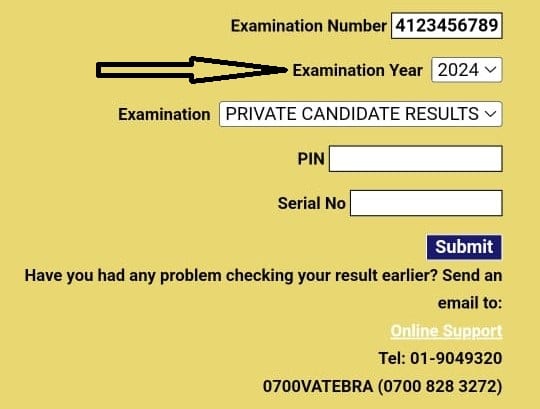
- Enter your 10-digit WAEC Examination Number
This is your 7-Digit centre number followed by your 3-digit candidate number e.g., 4123456789). For examination year < 1999, enter your 8-digit WAEC Examination Number.

- Select your examination year.
Enter the 4 digits of your Examination Year e.g., 2024

- Select the Type of Examination
Click on the drop-down menu to select your examination type.

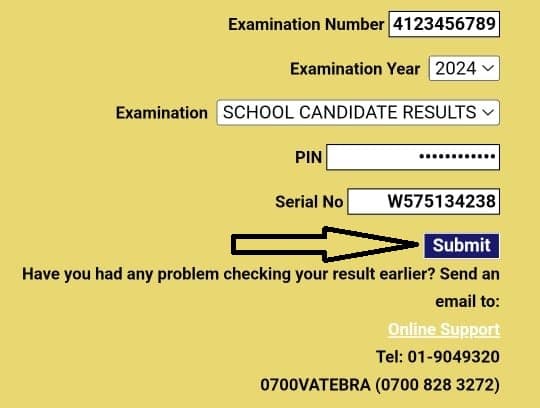
- Enter the e-PIN Voucher Number.
Type in the pin on your scratch card or e-PIN Voucher Number

- Enter the Personal Identification Number (PIN) on your e-PIN
Type the serial number of your scratch card pin
- Click Submit
Click Submit and wait for the results window to come up



How to Check WAEC Result Through SMS

Here is how to check WAEC result via SMS;
- Send an SMS in the format below:
- WAECExamNoPINExamYear to short-code 32327 (MTN, Airtel & Glo subscribers) For example, WAEC42501010011234567890122007
- Ensure you adhere strictly to the format above. There should be no space in the message.
- Wait for your result to be delivered to your phone via SMS. (SMS Cost ₦30 Only)
Conclusion
Checking your WAEC result is now easier than ever with the various methods available. Whether you prefer the convenience of online checking through the WAEC Direct portal or SMS, you can access your results quickly and efficiently. Remember to have your examination number, PIN, and exam year ready for a seamless process.
With this guide, you can check your WAEC result without hassle. Good luck!
Let me know in the comments if you face any challenges or questions. I will assist you.
