
The original West African Examination Council (WAEC) digital certificate is now available on the WAEC portal.
In 2012, when I sat for my WAEC examination, I had to wait for two (2) years before I could get my original certificate from my secondary school principal’s office.
But today, things are different, as you can instantly access the original copy of your result online. Like the paper certificate, it is not free as you must pay about eight thousand Naira (₦8,000) to access it.
Let’s go into how you can print your WAEC certificate online without wasting too much time. Let me know in the comment if you have any questions or need further clarification. I am here to assist you.
Requirements

Here are the requirements needed to print your original WAEC result;
- Create an account on the WAEC.org website
- Email address
- National Identification Number (NIN), Bank Verification Number (BVN) or International Passport Number.
- Internet Connection and Phone/Computer Browser
How to Print Original WAEC Digital Certificate Online
Here are the procedures to print your original WAEC result online;
A breakdown of how to access the WAEC digital certificate online.
- Visit the waec.org website
Go to https://www.waec.org/ on your internet browser

- Select user category
Specify your user category on the platform as Certificate Access (candidate) since you’re a student who wants to check your result.

- Dismiss the Important Notice popup.
On the right top of your screen, you will see an X sign to dismiss the important notice message. The documentation informs you that WAEC will need access to some of your personal information.

- Click on Access Certificate
Select the button that says access certificate.

- Create Account
Click on Create account at the bottom of the login button.

- Read and dismiss the important notice.
On the top right of your screen, you will see the X or Close button to dismiss the notice message and move to the next step.

- Click on Certificate Access (Candidate)
Select the blue button saying Certificate Access (candidate)

- Enter your details to sign up
Enter your name, email address, phone number, and password to sign up. Then check the box saying I have confirmed the information above.

- Go to your mailbox to get your confirmation pin
Open your mail app to get your verification code.

- Verify your email
Enter the code sent to your email to verify your account.

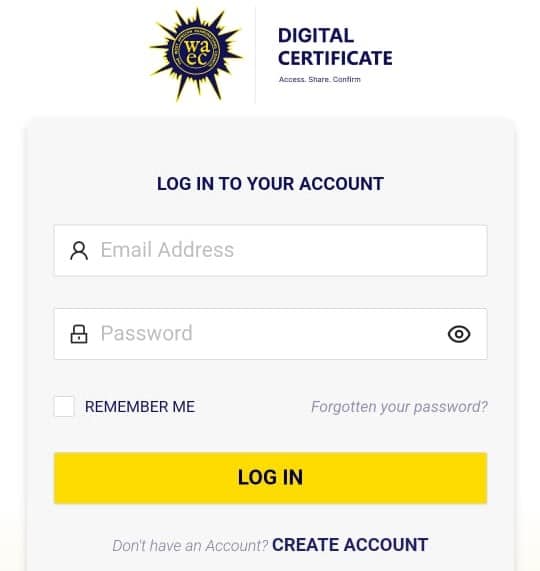
- Login to your account
Enter your email address and password to log into your account.
- Fill out the biodata form
Fill in the required information below to access the certificate.

- Verify the information above.
Click the “I HAVE VERIFIED THE INFORMATION ABOVE” box and click the AGREE button to accept the Terms of Use.

- Click on Access Certificate
Select the access certificate button and click on the Continue button.

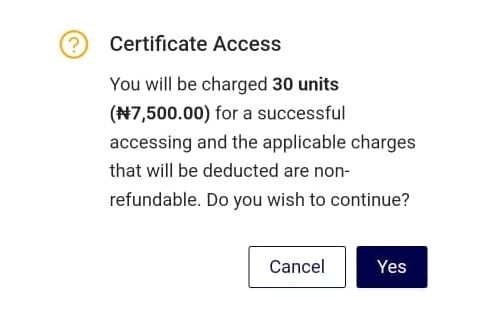
- Certificate Access Fee
Click on the Yes button to select your payment method.

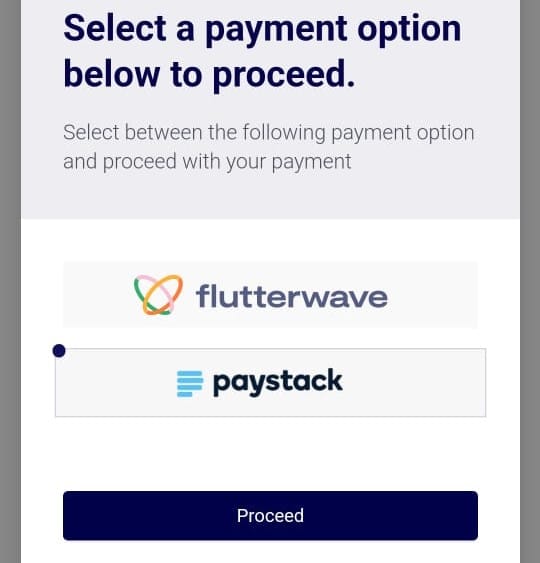
- Select payment method
Click on your preferred payment method to access your WAEC original certificate.





Conclusion
In conclusion, printing your original WAEC Digital Certificate online is a straightforward process that can be done from the comfort of your home. Following the step-by-step guide outlined in this post, you can quickly obtain a physical copy of your certificate, which can be used for various purposes, such as applying for further studies or employment.
Before starting the process, remember to ensure that your internet connection is stable and that you have all the necessary information, including your WAEC registration number and PIN.
If you encounter any difficulties, don’t hesitate to let me know using the comment box below. I would love to assist you.

Morning Sir,I have made the payment and then onto proceed to access certificate,they said SORRY WE ARE UNABLE TO PROCESS YOUR REQUEST,TRY AGAIN LATER. What do I do or has the money gone?
No, Buchi. Your money is not gone.
Your WAEC result is currently been processed. You will be able to get your result within the next 72 hours.
Is there any discrepancy in your name with your NIN and WAEC result?
Hello, is there a way that i can get my waec certificate and testimonial from another place apart from my secondary school?
I schooled in Ogun state, but i now live in Lagos, i don’t think the school is still in operation.
Taofeek, do you mean the original hard copy? Yes, you can try the WAEC office in your State.
But, you can always get the original digital result from any location.
Let me know if you have further questions.
Please the school I wrote mine has closed down and I just downloaded the digital copy and the school is now requesting for physical copy, how do I print it?
Hello Kaboji,
Have you visited the WAEC office?
Also, there should be a way to contact the owner of the school.
Good evening sir. I exceeded my limit in the process of imputing my NIN. How can I get another chance 😭🙏🏻
Please sir
Hello, Ogo
You will need to create a support ticket using this link; https://portal.waec.org/enquiry/tickets to verify your NIN.
Let me know if you have further questions.
Please I mistakenly input the wrong NIN so it exceeded it trial limit. What do I do to get another chance. I’m now sure of my NIN
Ogochukwu,
You will need to create a support ticket on your WAEC portal to resolve the problem.
Why can’t I print it out since it’s the same?
I already lost my Waec Certificate from school.
I want to print out this digital Waec Certificate in my phone to at least have a physical copy for official purpose.
What should I do?
Hello Blessing,
The thing is that the WAEC certificate is not printed with ordinary paper. It is why if you print it would, it would not be accepted for official purpose as it won’t be like the original copy.
You can get the digital certificate and use for any any official purpose. Also, you can visit the WAEC office to get a Statement of result that you can use for physical submission.
Let me know if you have further questions.
Pls is there any different colour between the one collected from school and the digital one ? Because I notice the digital is light than the school own, pls I need explanation on it.Thanks
Hello, Emmanuel,
They are both the same. But, the digital copy is not to be printed. That is, you should submit it in PDF format for whatever official purpose you want to use it for.
Let me know if you have further questions.
What if they don’t need the Pdf but physical paper?. Is there anyway one can get it in the WAEC office after downloading it online?
No, Chirstabel
Have you collected your original WAEC result from your secondary school?
You can try printing it on a conqueror/concord paper.
It will look like the original certificate