
It is compulsory to upload your O’level (WAEC or NECO) results to the JAMB portal to be eligible for admission to any school in Nigeria.
The Central Admissions Processing System (CAPS) is an online platform where JAMB applicants upload their O’level results during or after the JAMB registration.
It is better to upload your results during your JAMB registration for candidates who have already sat for the WAEC or NECO exams. But, if you’re sitting or have already sat for this year’s O’level exams, then you have nothing to worry about.
If you already have your O’level result but could not upload it during your UTME registration, you can also do it now under the category of awaiting result.
Also, you must not make any mistake while uploading your O’level results, as it could lead to your admission denial. Ensure you crosscheck for any error before submission to the JAMB CAPS.
Let me know if you have any questions about this process or need further clarification. I will help you as soon as possible.
How to Upload Awaiting Results on JAMB Portal
The cost of uploading awaiting results to the JAMB CAPS portal is five hundred naira (₦500) at any of the accredited CBT centres.
Here is the procedure for uploading your WAEC or NECO results on the JAMB portal;
- Visit any accredited JAMB CBT centre close to you.
- Notify the staff you are there to upload your O’level result.
- Fill out the O’level form if given
- Submit a printout of your WAEC or NECO result
- Pay the sum of five hundred naira (₦500)
- Confirm on the computer screen that your O’level grades were entered correctly into the computer system.
- Your O’level will be submitted to JAMB.
Note that it is not compulsory to go to the CBT centre with your original WAEC or NECO result. A printout is enough for this process.
Also, you cannot upload your results using your phone. You must visit the JAMB CBT centre.
How to Verify WAEC and NECO Result on JAMB Portal
Here is how to verify your WAEC or NECO result has been correctly uploaded on the JAMB CAPS;
How to verify WAEC and NECO results on the JAMB portal
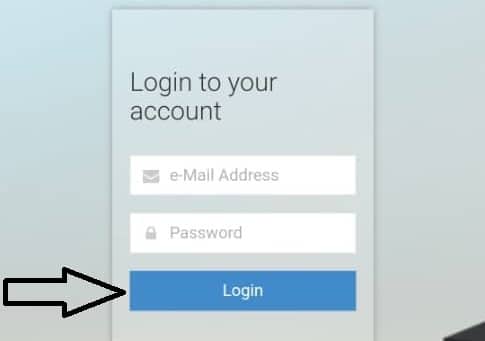
- Visit the official JAMB e-facility Portal
Go to https://efacility.jamb.gov.ng/ on your phone browser and log in to your account using your email address and password.

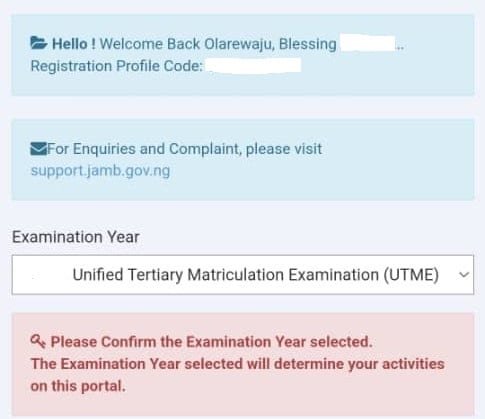
- Select your examination year.
Click on the drop-down menu to select the year you sat for the JAMB exam.

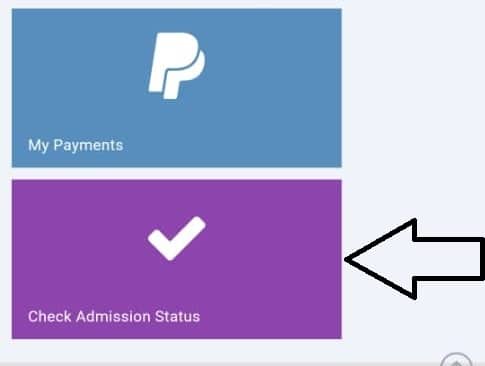
- Click on Check Admission Status
Scroll down to the bottom of the page to click “Check Admission Status”

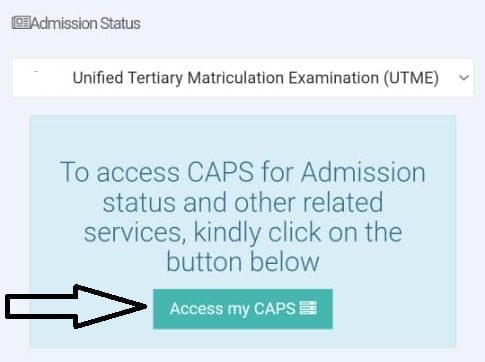
- Click on Access my CAPS
Select the button that says “Access my CAPS”

- Click on O’Level
Select the button that says ” My O’Level” to view your uploaded results

- View and confirm your O’level result
You will see your O’level results on this page for verification



Let me know in the comment below if you encounter any problems, have questions or need further clarification. I will help you out as soon as possible.
I wish you success with your admission process.
